Ready to connect
ON-DEMAND POWER FOR YOUR HOMELAB
Let your servers
sleep.
Ready when you need them. Quiet when you don’t.Wakezilla is a free, open-source Wake-on-LAN proxy. Wake your machines on demand, route TCP traffic, and power them down after inactivity.
YOUR HOMELAB, ON DEMAND
Interactive demo
Always listening
Sleeping
Sleeping
Your server is resting. A request is all it takes to wake it.
Idle timeout
60 minutes
Example configuration · Time is accelerated
THE ALWAYS-ON TAX
Why keep it running?
Your best hardware doesn’t need to run around the clock. Let its working hours follow yours.
Less idle time. Less noise. More room to do something useful with your hardware.
WITHOUT WAKEZILLA
Always on
The server stays powered through long periods with no useful traffic.
WITH WAKEZILLA
Awake on demand
Traffic wakes the target. Inactivity sends it back to sleep.
A LITTLE AUTOMATION. A COMPLETE LOOP.
From the first request to a well-earned rest.
Wake, forward, respond, rest. Wakezilla connects the dots.
01 / WAKE ON DEMAND
A request is all it takes.
Open your app as usual. Wakezilla checks the service and wakes the machine if it is asleep.
02 / FORWARD THE REQUEST
A clear path to your server.
Once the service is ready, Wakezilla forwards your original connection to the port you configured.
03 / RETURN THE RESPONSE
The answer finds its way back.
Traffic flows in both directions. The response travels from your service, through Wakezilla, back to your app.
04 / POWER DOWN AFTER INACTIVITY
Nothing to do? Time to rest.
New connections reset the timer. After your configured idle period, Wakezilla asks the paired client to power down.
YOUR MACHINES. YOUR RULES.
Everything in its right place.
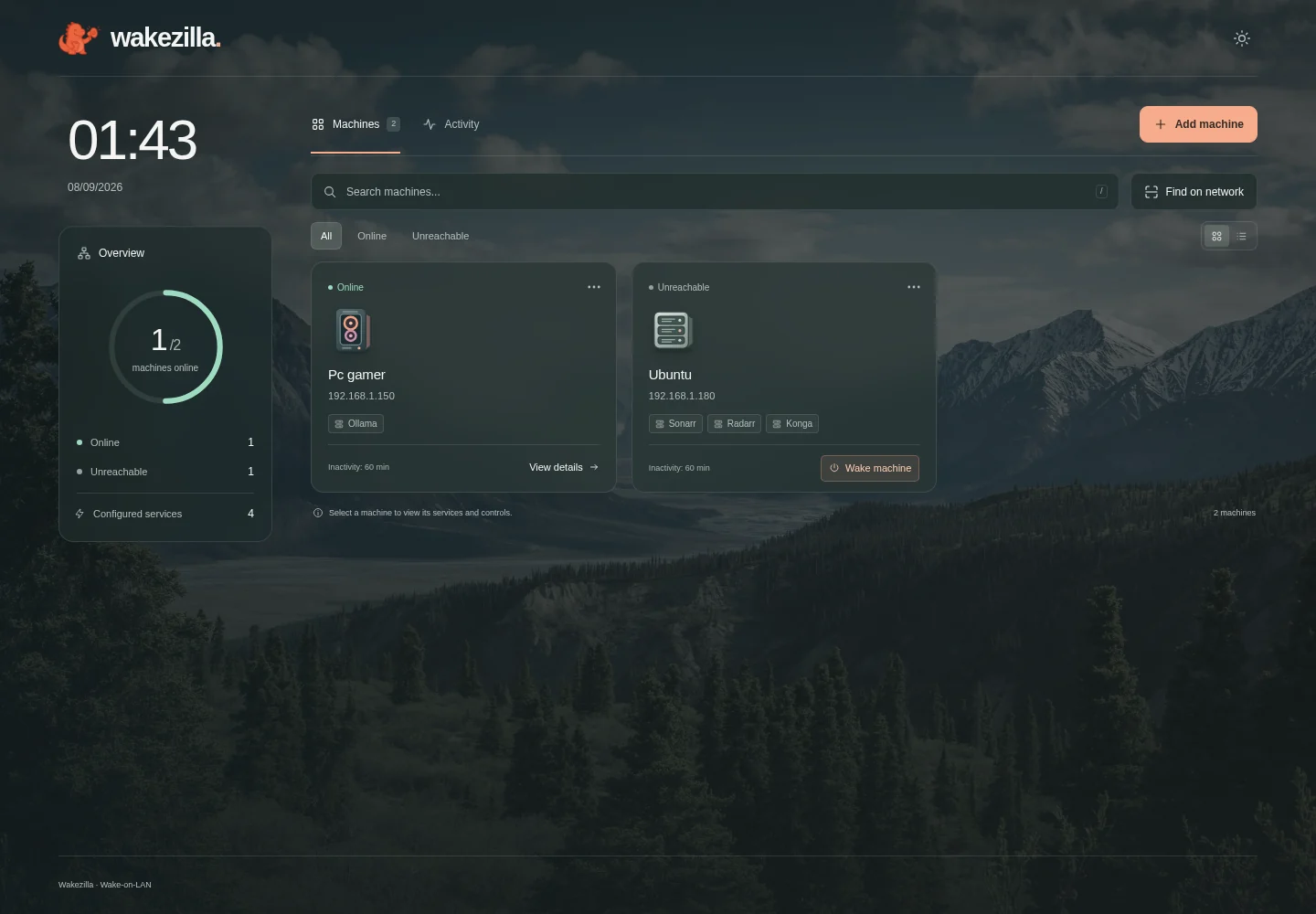
Your machines, ports, and inactivity settings. Together in one simple dashboard.
- 01 Discover or add your machines.
- 02 Connect the ports your apps use.
- 03 Choose when it’s time to rest.
MADE FOR YOUR CORNER OF THE INTERNET
Big ideas. Smaller running hours.
A movie, a prompt, a new project. Give your hardware a reason to wake up.
Movie night, on demand.
Wake Jellyfin or Plex when somebody opens the app.
Give your GPU a break.
Bring an Ollama or inference machine online on demand.
Power for your next build.
Route traffic to a workstation or test server when needed.
Small jobs. Quiet servers.
Perfect for backups, game servers, and internal apps.
ONE COMMAND AWAY
Your homelab can take it from here.
Install Wakezilla, run the guided setup, and register the machines that should wake on demand.
curl -fsSL https://wakezilla.dev/install.sh | shInstalls a verified prebuilt release on Linux or macOS.
YOURS TO RUN, READ, AND IMPROVE
Open source, by design
Wakezilla is free to self-host, transparent to inspect, and shaped in public with its community.
100%Open Source
...GitHub Stars
MITLicensed
READY FOR THE NEXT REQUEST
Let your server sleep.
It has better things to do than wait.